
Search Beaver County Traffic Court Records
Beaver County traffic court records can be searched through two official Pennsylvania court routes. UJS Case Search is the public docket route for Magisterial District Court traffic cases. PAePay is the search and payment route for eligible traffic tickets, court costs, fines, and restitution owed to participating Pennsylvania Common Pleas and Magisterial District Courts.
Traffic searches work best with the citation number. If that is missing, UJS and PAePay may allow a participant-name search, docket-number search, payment-plan search, or district-court search. A Beaver County citation notice should be checked for the issuing Magisterial District Court and any deadline language before payment or contest decisions are made.
- Start with UJS Case Search when the goal is to view the docket sheet, status, court, hearing events, or disposition.
- Use PAePay when the goal is to check whether a citation or court cost is eligible for online payment.
- Search by citation number first. If it fails, retry with participant name, docket number, payment plan number, or district court number.
- Confirm the court and case status before paying. Some matters may require a plea, appearance, or direct contact with the issuing court.
- Contact the Magisterial District Court or the Beaver County Court Records Manager when the online result is missing or incomplete.
Beaver County Traffic Court Venues
Most Beaver County traffic cases route through Magisterial District Courts. These courts also handle summary offenses, non-traffic citations, landlord-tenant cases, small civil cases, preliminary criminal proceedings, and some failures to appear that can later create warrant activity. Common Pleas may become involved through appeals, more serious criminal traffic-related cases, or fines and costs tied to a higher-level case.
The Beaver County Magisterial District Judge locations page is the local source for traffic-court venue information.
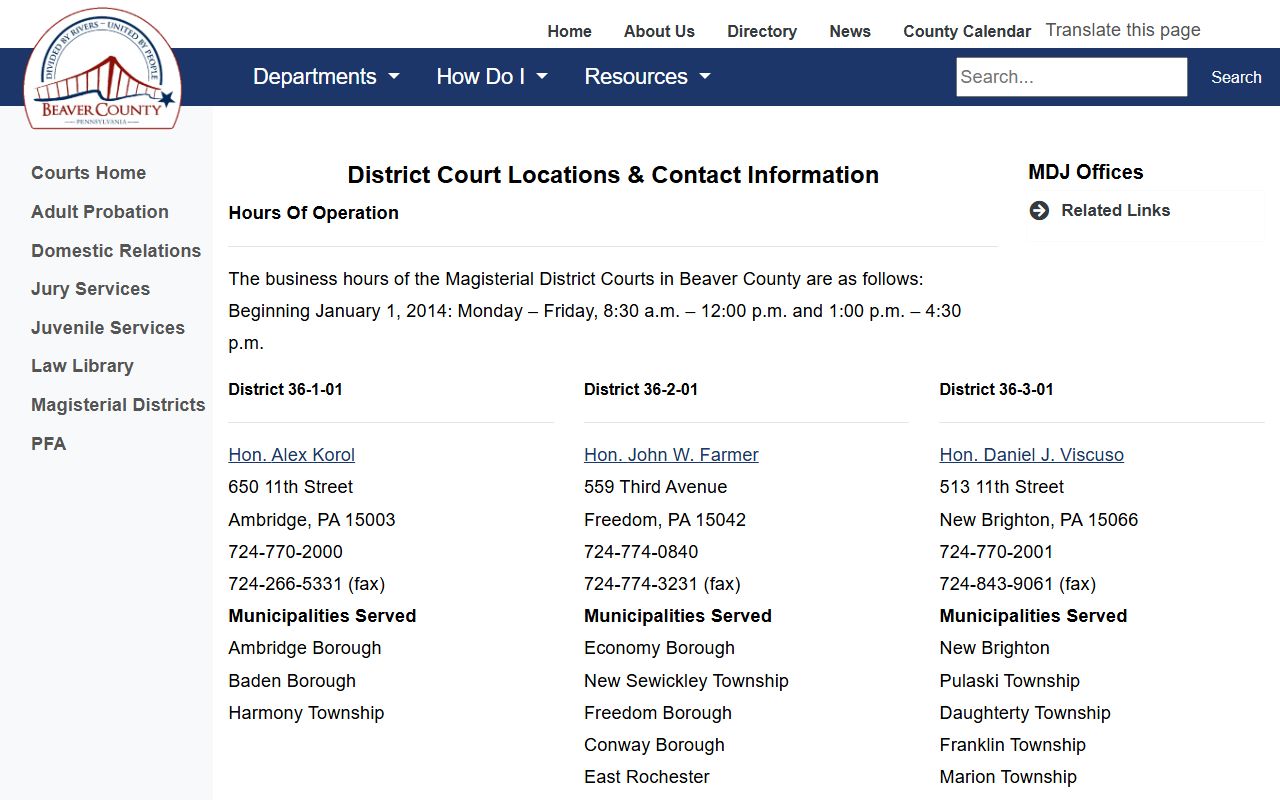
That district list helps connect a Beaver County traffic court record to the issuing office when PAePay or UJS does not resolve the question.
| District | Judge | Address | Phone |
|---|---|---|---|
| 36-3-01 | Hon. Daniel J. Viscuso | 513 11th Street, New Brighton, PA 15066 | 724-770-2001 |
| 36-1-02 | Hon. Dirk Goodwald | 1010 Eighth Ave., Beaver Falls, PA 15010 | 724-770-2002 |
| 36-2-02 | Hon. Robert Dappenbrook | 175 Friendship Circle, Beaver, PA 15009 | 724-775-3380 |
| 36-3-02 | Hon. Steven Necaster | 19 Cessna Drive, Beaver Falls, PA 15010 | 724-770-2003 |
| 36-3-03 | Hon. Joseph L. Schafer | 226-F Center Grange Road, Aliquippa, PA 15001 | 724-775-1714 |
| 36-3-04 | Hon. Felicia Jezewski Santillan | 1515 Gringo Road, Aliquippa, PA 15001 | 724-770-2004 |
The researched official extract captured six district rows while the county courts overview references eight Magisterial District Judges. A citation, summons, or docket number should control over a partial location list.
Beaver County PAePay Search Fields
PAePay is designed for eligible payment searches, not for every kind of traffic record. A case may appear in UJS but not be payable through PAePay. A payment may also be blocked if the citation requires a court response, the search terms are incomplete, or the issuing court has not posted the balance in a payable form.
The PAePay traffic and court-cost search portal is the official payment search route for eligible Beaver County traffic court records.
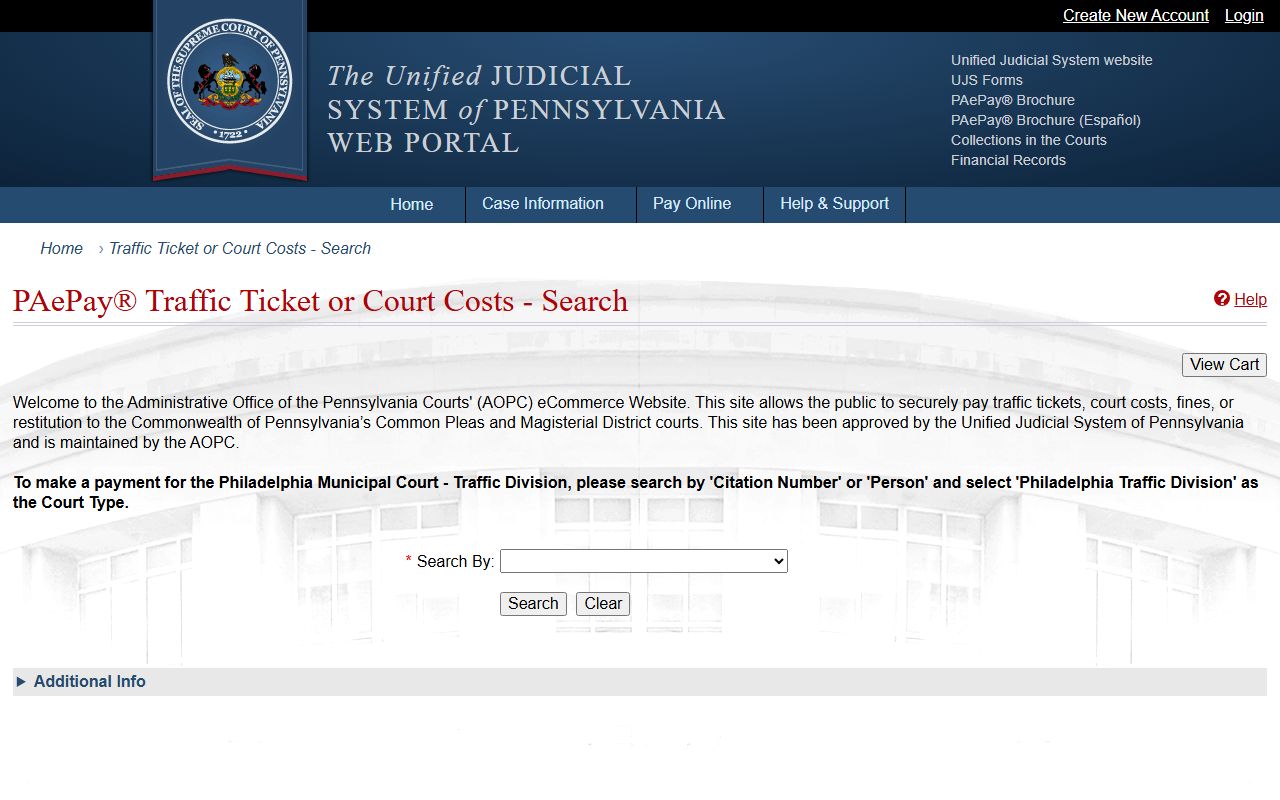
PAePay search results should be read with the citation notice and any UJS docket details because online payment eligibility is only one part of the traffic case.
| Field Label | Type | Required | Notes / Format |
|---|---|---|---|
| Select By / Search | Dropdown | Yes | Options include Citation Number, Payment Plan Number, Docket Number, Participant Name, Organization/Company, County, or District Court depending on the path. |
| Court Type | Dropdown | Conditional | Help references Magisterial District Court for citation searches. |
| Citation Number | Text | Conditional | Use the citation or ticket number when known. |
| Participant Name | Text | Conditional | Use the defendant name if the citation number cannot be found. |
| District Court | Text or dropdown | Optional | Help recommends a district court number, with a sample format such as 51-3-01. Use the Beaver district number when known. |
| Search | Button | Not applicable | Finds an eligible payable case. |
| Add to Cart / View Cart / Checkout | Buttons | Not applicable | Used only after a payable case is found. |
What Beaver County Traffic Records Show
A Beaver County traffic court record is a court case record. It can show the charge, court, event history, plea or disposition, fine, costs, payment status, and failure-to-appear events. It does not prove the full state driver record, and it may not show every PennDOT consequence tied to a conviction.
| Field | What It Shows |
|---|---|
| Citation Number | The ticket or citation identifier used for traffic lookup and payment searches. |
| Docket Number | The court case number, often an MJ docket for Magisterial District Court traffic matters. |
| Defendant / Participant | The person or organization named in the traffic case. |
| Issuing Court | The Magisterial District Court or Common Pleas court tied to the case. |
| Charge / Statute | The offense or legal section alleged on the citation or docket. |
| Court Date | Hearing or response events posted to the docket. |
| Plea / Disposition | How the charge was answered or resolved. |
| Fine and Costs | Court-imposed money due, including fines, costs, restitution, or payment-plan details where applicable. |
| Payment Status | Whether PAePay or the court shows a balance, payment, or checkout route. |
| Warrant or Failure-to-Appear Entry | Possible docket activity when a required traffic appearance or response is missed. |
Pay or Contest Beaver County Tickets
Paying and contesting are different decisions. PAePay can process eligible payments to Pennsylvania Common Pleas and Magisterial District Courts, but payment may affect the court case and any separate driver-record consequences. A person who intends to contest a citation should follow the citation and court instructions instead of treating online payment as a neutral record search.
The official PAePay payment methods page lists accepted cards and the payment service fee for Beaver County traffic court records when a case is payable online.
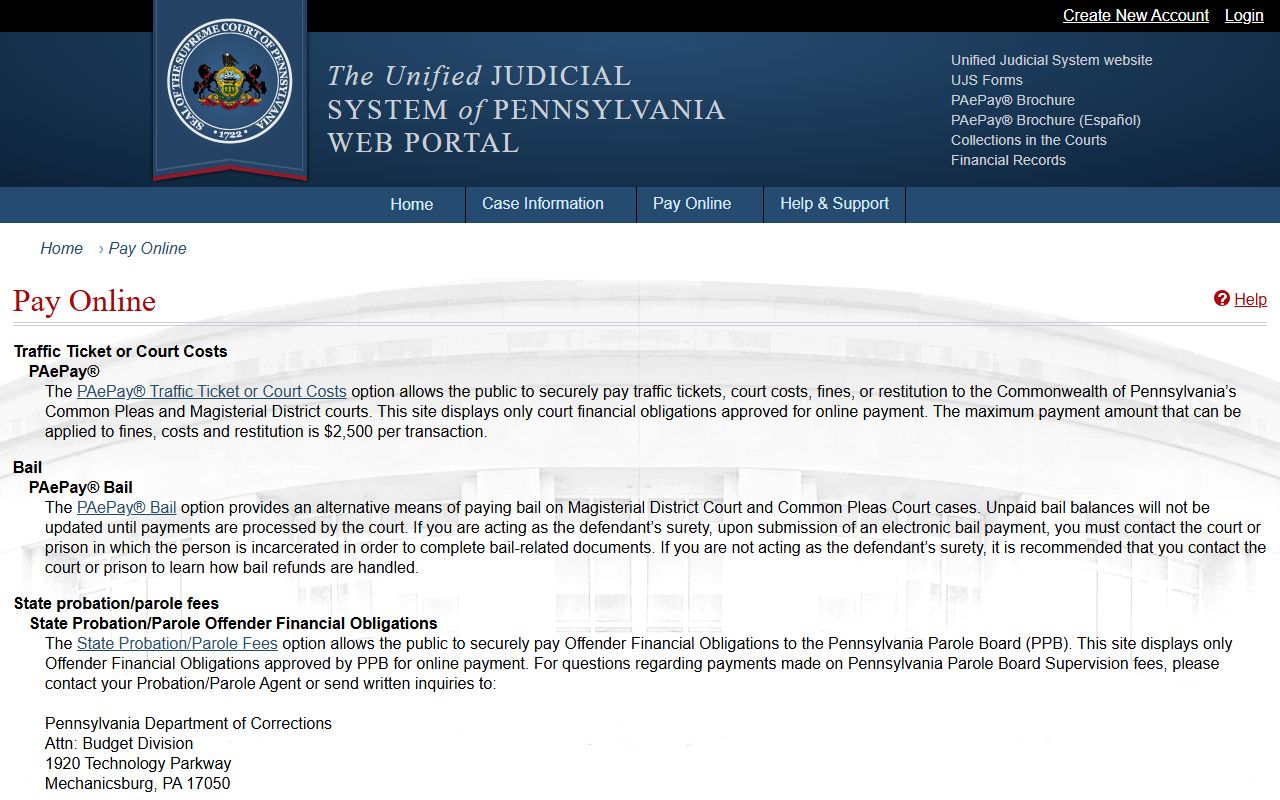
That payment source is useful for card rules, but the issuing court remains the source for contest deadlines and appearance requirements.
- Search PAePay by citation number, docket number, participant name, payment plan number, or district court information.
- Confirm that the result belongs to Beaver County and matches the citation, defendant, court, and amount due.
- If the case is payable and payment is intended, review the cart and checkout screens before submitting card payment.
- If the ticket will be contested, follow the court instructions on the citation and contact the issuing Magisterial District Court if the deadline or plea method is unclear.
- If no online record appears, search UJS for the traffic docket and contact the issuing court or Court Records Manager.
Beaver County Traffic Record Fees
The researched fee information for Beaver County traffic court records is strongest for PAePay. The official payment page states that PAePay and PAePay Bail accept Visa, MasterCard, Discover, American Express, or ATM card, with a non-refundable service fee. The research did not capture a Beaver County traffic-copy fee table or a PennDOT driver-record fee table, so those amounts should be confirmed with the issuing court or state driver-record office before ordering.
| Item | Amount / Rule |
|---|---|
| PAePay online search | No separate search fee documented in the research. |
| PAePay card service fee | Non-refundable 2.75 percent service fee. |
| Eligible traffic ticket payment | Fine, costs, or restitution amount shown in the payment result. |
| MDJ traffic record copy | Use the issuing Magisterial District Court or Court Records Manager because no traffic-copy fee schedule was captured. |
| State driver record | Separate state driver-history file; no Beaver County court fee controls that record. |
Court Traffic Records vs Driver Records
A Beaver County traffic court record is not the same thing as a Pennsylvania driver record. The court record tracks the case in the court system. The driver record tracks license status, convictions reported to the driver licensing agency, points, suspensions, and driver history. A court docket can help identify what happened in the case, but it may not show every licensing consequence.
| Comparison Point | Court Traffic Record | State Driver Record |
|---|---|---|
| Record Source | Magisterial District Court, Common Pleas, UJS, PAePay, or local court records channel. | State transportation and driver licensing records, not the Beaver County court clerk. |
| What It Shows | Citation number, defendant, court, charge, plea or disposition, court date, fine, costs, and payment status. | License status, convictions reported to the state, points, suspensions, and driver history. |
| Where to Access | UJS Case Search, PAePay, issuing MDJ court, or Court Records Manager. | Separate state driver-record process. |
| How to Correct Errors | Start with the issuing court or court records channel for docket errors. | Use the state driver-record correction process for license-history errors. |
Note: A paid citation can still have driver-record consequences outside the Beaver County court docket.
Beaver County Traffic Case Types
Traffic records in Beaver County are usually summary or citation-based matters handled at the MDJ level. The research did not locate Beaver County-specific municipal parking or photo enforcement rules, so local parking or camera disputes should be checked against the issuing notice. The documented statewide court tools cover Magisterial District Court traffic cases and PAePay-eligible traffic tickets.
- Traffic citations: searchable by citation number or docket route when posted through UJS or PAePay.
- Non-traffic summary matters: handled by Magisterial District Courts and listed by UJS as an online category.
- Failure to appear: may create MDJ or Common Pleas warrant activity depending on the case type and court action.
- Appealed traffic matters: can move from an MDJ docket to the Court of Common Pleas.
- Criminal traffic cases: DUI or other serious allegations may route into criminal court records rather than a simple traffic payment record.
Public Access to Beaver County Traffic Records
Traffic dockets are part of Pennsylvania court records access, and UJS public case information lists Magisterial District Court traffic case information as an online category. The UJS court case information page is the source for that coverage. The UJS public records policies govern case records, statewide case data, public access forms, and financial records.
The Pennsylvania Right-to-Know Law may matter for county agency records outside a court traffic case, but the court docket itself follows judicial public access rules. Restricted information such as Social Security numbers, protected personal identifiers, juvenile material, sealed records, or expunged material should not be expected in public-facing traffic records.
Traffic Records With Criminal Issues
DUI and other serious traffic-related allegations are not just payment records. They may produce criminal court records, bail entries, plea or disposition entries, sentencing, fines, costs, restitution, probation terms, and expungement questions. For full case outcomes and sentencing, Beaver County users should check the criminal case channel rather than relying only on PAePay. A focused criminal-case file belongs with Beaver County criminal court records.
Commercial driver issues can also have consequences beyond the court traffic record. The Beaver County research did not locate a county-specific CDL diversion or driver-history rule. Because the state driver record is separate from the court record, CDL holders should treat any citation, disposition, payment, or conviction as potentially relevant outside the court docket and confirm the non-court licensing effect through the proper state driver-record channel.
Sealing and expungement are controlled by Pennsylvania law when a record qualifies. The research identifies 18 Pa.C.S. 9122 for expungement, 18 Pa.C.S. 9122.1 for limited access, and 18 Pa.C.S. 9122.5 for the effects of expunged or limited-access records. A traffic citation that becomes part of a criminal record should be reviewed through the criminal docket and the Clerk of Courts process.
Offline Beaver County Traffic Requests
If a Beaver County traffic court record cannot be found through UJS or PAePay, the next step is the issuing Magisterial District Court. The citation, summons, or docket sheet should identify the district court. For MDJ records outside the online docket view, Beaver County provides the Court Records Manager request route by mail, sealed hand delivery, email at rule509administrator@beavercountypa.gov, or fax at 724-728-3729. A denial may be appealed within 15 business days to the President Judge of the Court of Common Pleas of Beaver County.
Traffic records that have moved to Common Pleas through appeal or a related criminal case may require the Clerk of Courts for criminal matters or the Prothonotary for civil-style filings. The Beaver County Courthouse is at 810 Third Street, Beaver, PA 15009. Regular courthouse contact information lists 724-728-5700 and public hours of 8:30 a.m. to 4:30 p.m.